A new remote should make leaving and arriving easier, not leave you parked in the driveway pressing buttons with no response. When you need to program a new garage opener, the correct method depends on the opener’s brand, age, security technology, and whether you are adding a remote, keypad, vehicle control, or an entirely new motor unit.
Most programming jobs take only a few minutes when the door is operating correctly and the instructions match the equipment. The trouble starts when a weak remote battery, outdated receiver, damaged safety sensor, or incompatible accessory is mistaken for a programming problem. Before changing settings, make sure the garage door is fully closed and keep people, pets, and vehicles clear of the door’s path.
Start by Identifying What You Are Programming
“Garage opener” can mean several different things. You may be pairing a handheld remote with an existing motor, setting a wireless keypad outside the garage, connecting HomeLink or another built-in vehicle system, or programming a newly installed opener after replacement. Each has its own procedure.
Look for the make and model number on the opener housing, usually near the light cover, motor head, or control panel. You also need to find the Learn, Program, Smart, or Set button. Its color, location, and indicator light often identify which remote technology the unit uses. A remote that looks similar to your old one is not always compatible.
If the opener was installed before modern rolling-code systems became common, compatibility deserves extra attention. Newer remotes typically use a changing code for better security. Older fixed-code systems may require setting tiny switches inside the remote and receiver instead. Do not force a modern programming sequence onto an older unit.
How to Program a New Garage Opener Remote
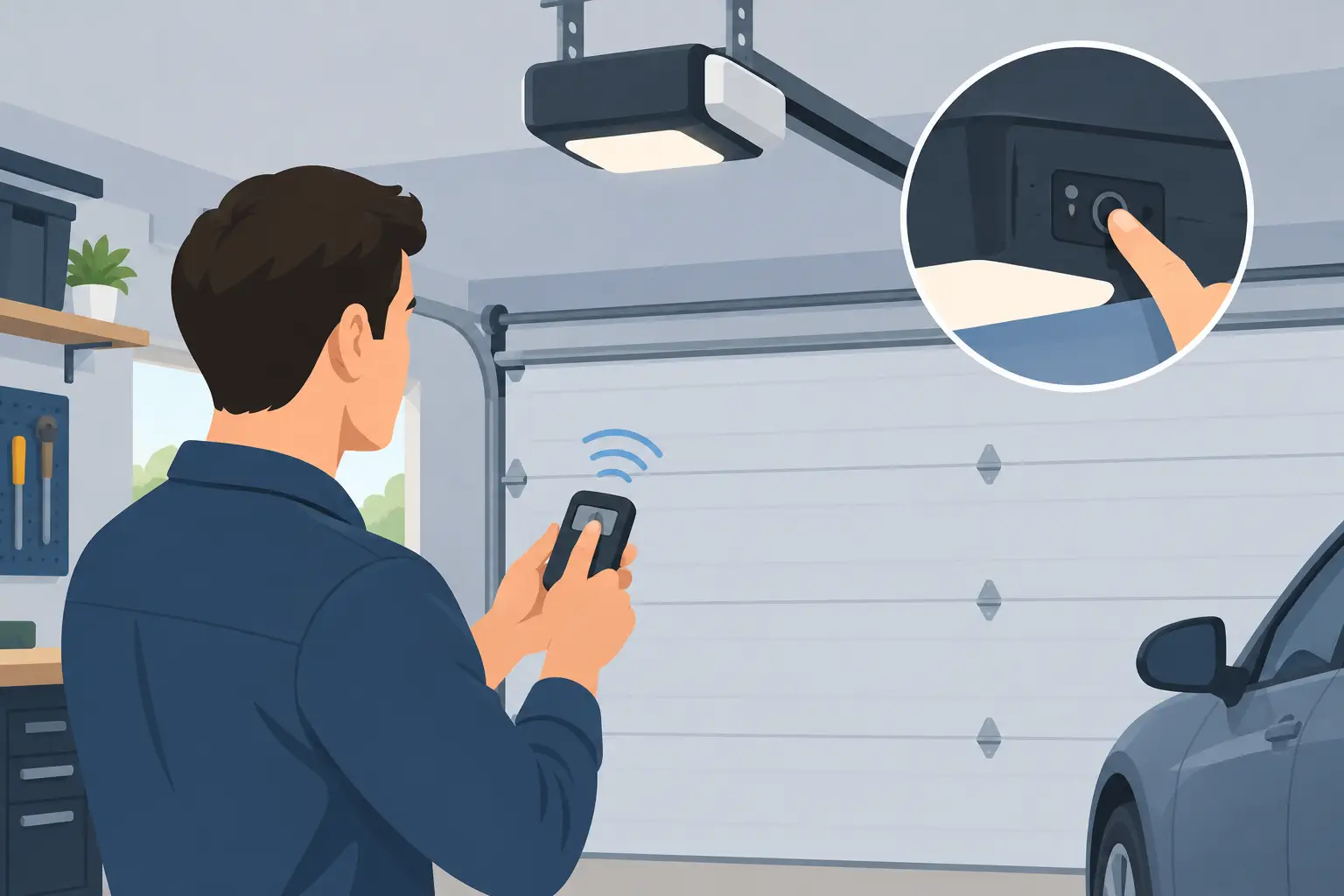
For many current residential openers, the process is straightforward. First, place a fresh battery in the new remote. Stand on a stable surface where you can safely reach the opener’s Learn button, but do not stand on the door, tracks, or a vehicle.
Press and release the Learn or Program button on the motor unit. An indicator light usually turns on or flashes, creating a short programming window. Within that window, press and hold the button you want to use on the new remote. The opener light may blink, click, or turn on and off to confirm that it accepted the remote.
Test the remote from outside the garage after the programming cycle is complete. Watch the door through a full opening and closing cycle. If it starts moving and then reverses, stops, or behaves unpredictably, do not assume the remote is at fault. The issue may be with the safety sensors, travel limits, force settings, springs, rollers, or door balance.
Some brands require a second press of the remote button, a press of the wall control, or a specific sequence. Follow the instructions for the exact opener model when available. Repeatedly pressing buttons at random can erase stored remotes or place the unit into a different setup mode.
Adding a Wireless Keypad
A wireless keypad is useful for families, tenants, contractors, and property managers who need access without handing out multiple remotes. The basic process usually begins with pressing the Learn button on the opener. Then enter a new personal identification number on the keypad and press Enter or Send before the opener’s programming window closes.
Choose a PIN that is not easy to guess from an address, birthday, or unit number. Avoid posting the code inside the garage where it can be seen through a window. If a former resident, employee, contractor, or lost remote could still have access, erase old codes from the opener before adding new devices.
Programming a Car’s Built-In Garage Control
Vehicle-based controls can be convenient, but they are often the most confusing part of the process. Some systems first need to copy the signal from a working handheld remote. Rolling-code openers then require an additional step at the motor unit to authorize the vehicle control.
Park outside the garage while programming. Never perform the setup with the car positioned under an open door or with the door moving. If your vehicle has multiple programmable buttons, label or remember which one controls the garage. Testing the wrong button can create unnecessary confusion, especially in homes with multiple doors.
A vehicle control that works only when parked very close to the garage may need reprogramming, but range problems can also point to interference, a failing receiver, or a weak transmitter. New LED bulbs inside an opener can sometimes interfere with remote signals if they are not designed for garage door use.
When Programming Will Not Work
A remote that refuses to pair is not always defective. Start with the simple checks: confirm the battery is installed correctly, make sure the opener has power, and verify that the remote is designed for that exact opener system. If the wall button operates the door but the remotes do not, the receiver or antenna may be the issue.
If neither the wall control nor remote runs the door, look beyond programming. Check whether the opener has power and whether its lights or diagnostic indicators are active. A disconnected door, tripped outlet, damaged wiring, or failed motor can produce symptoms that no programming step will fix.
The garage door itself also matters. An opener is designed to move a properly balanced door, not compensate for broken springs, bent tracks, worn rollers, or a door that is off track. If the door is heavy, crooked, noisy, or will not move manually when disconnected from the opener, stop using it. Continuing to operate the system can damage the opener and create a serious safety hazard.
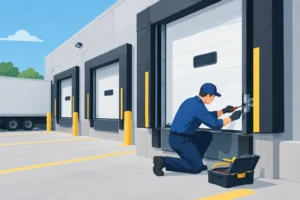
For commercial doors, do not treat a failed transmitter as a minor inconvenience. A warehouse, retail location, or multi-unit property may depend on controlled access for security and daily operations. Commercial operators, radio controls, keypads, and access systems should be programmed and tested with the correct equipment and safety procedures in place.
When to Reset the Opener
Resetting or clearing the opener’s memory can be useful after a remote is lost, a tenant moves out, an employee leaves, or you have purchased a property with unknown access devices. The exact reset method varies by manufacturer, but it often involves holding the Learn button until the indicator light changes or turns off.
This action usually removes every programmed remote, keypad, and vehicle control. Plan to reprogram the devices you want to keep immediately afterward. For a busy household or managed property, make a quick list of authorized devices first so no one is unexpectedly locked out.
Do not reset the unit simply because one new remote will not program. A full memory reset creates more work and can temporarily disrupt access for everyone who uses the garage. It is better to confirm compatibility and inspect the opener’s diagnostic signals before clearing stored codes.
Protect Your Garage After Programming
Once the new remote works, take a minute to test the safety features that protect people and property. With the door open, place a solid object on the floor where the door would close and use the remote to close it. The door should reverse when it contacts the object. Also check that the photo-eye sensors near the floor are aligned and that the door reverses when the sensor beam is interrupted.
Do not adjust spring tension, cables, or high-force settings as part of a programming project. These components are under significant tension and require trained service. A remote issue should stay a remote issue unless inspection shows there is a larger problem.
For homeowners and businesses across the Chicago area, Garage Door Mart Inc can help when a new remote will not pair, an opener needs replacement, or the door itself is no longer operating safely. A technician can identify the correct compatible control, program authorized devices, and check the full door-and-opener system instead of guessing at the problem.
A properly programmed opener is only useful when the door it controls is safe, balanced, and reliable. If the door hesitates, reverses unexpectedly, makes grinding noises, or leaves your property unsecured, treat that as a service issue and get it checked before the next busy morning or delivery window.